


The Setup menu allows you to configure several options that control how ElkRP works. From this menu, you can add or change operators and their passwords, select the serial port and modem to use for connections, and specify where certain files are located.
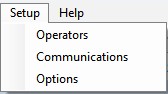
For help on each sub-menu command, click on one of the following: