


This menu is enabled only when ElkRP is connected to an account. Use this menu to send (download) or receive (upload) data to/from a system. Some commands on this menu are context sensitive. Depending on what is showing on the screen or what is selected, some commands may send or receive only a single item or a group of items. Other commands allow you to set the current date and time in the system, receive its log, and send firmware updates to the main unit or its peripherals.
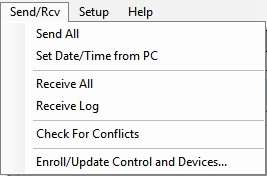
For help on each sub-menu command, click on one of the following:
Send/Rcv Menu: Set Date/Time From PC